
Tracker and Helpers
Follow what Drylab is doing step by step and see the helpers it brings in for focused jobs.
While Drylab works, a progress tracker in the chat shows each step as it happens: the code it runs, the files it reads and writes, the papers it searches. For some jobs Drylab brings in a helper (a subagent): a second assistant that does one focused task, such as exploring your project files or searching the literature, and reports back. Helpers appear in the tracker too, so you can see what they did.
The progress tracker
The tracker sits under your message. Its header tells you where the run is:
| Header | Meaning |
|---|---|
| The current step (or Working), with a timer | Drylab is running. While a helper works, the header shows what the helper is doing right now. |
| Waiting for your decision | Drylab is paused on a card that needs you. See Plans and Questions. |
| Interrupting... | You clicked Pause and Drylab is stopping. |
| Completed 7 steps in 1m8s | The run finished. The count and time are for this run. Runs without a plan show Completed in and the time. |
| There were some errors | The run finished, but at least one step hit an error. Open the tracker to see which. |
Click the header to open or close the tracker. Each step of the plan is a section, with what Drylab did inside it, for example Code executed, Reading file, Writing file, PubMed search, Web search or Reading Paper. Click an item to see the code, the output or the search results.
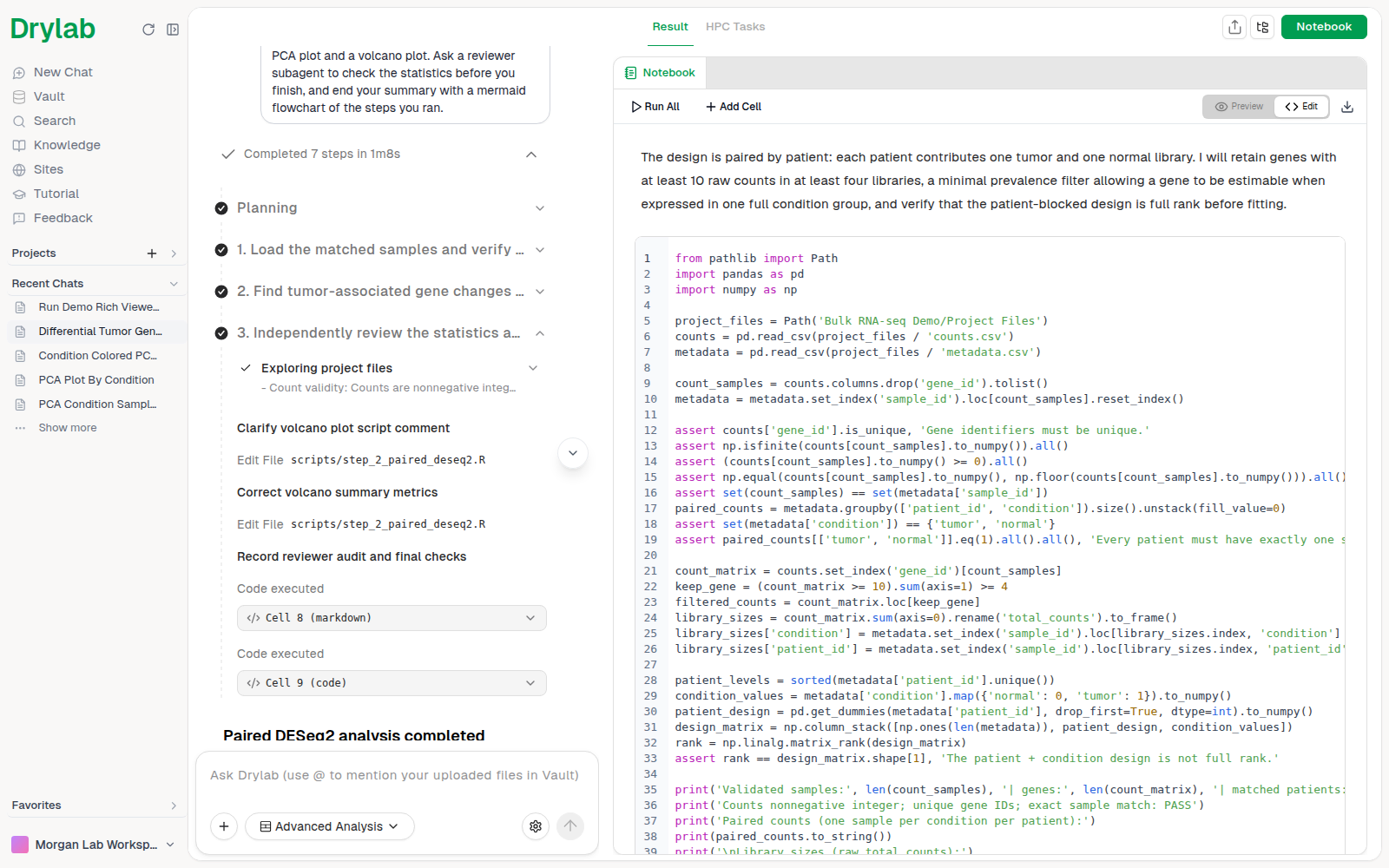
The tracker stays in the chat after the run, so you can come back to it later and see how each result was produced.
Helpers (subagents)
A helper is a separate assistant that Drylab starts for one job. It gets only the context it needs and its own tools, works on the job, and hands the result back to Drylab, which carries on with the analysis. Helpers keep the main analysis focused, and several can work at the same time.
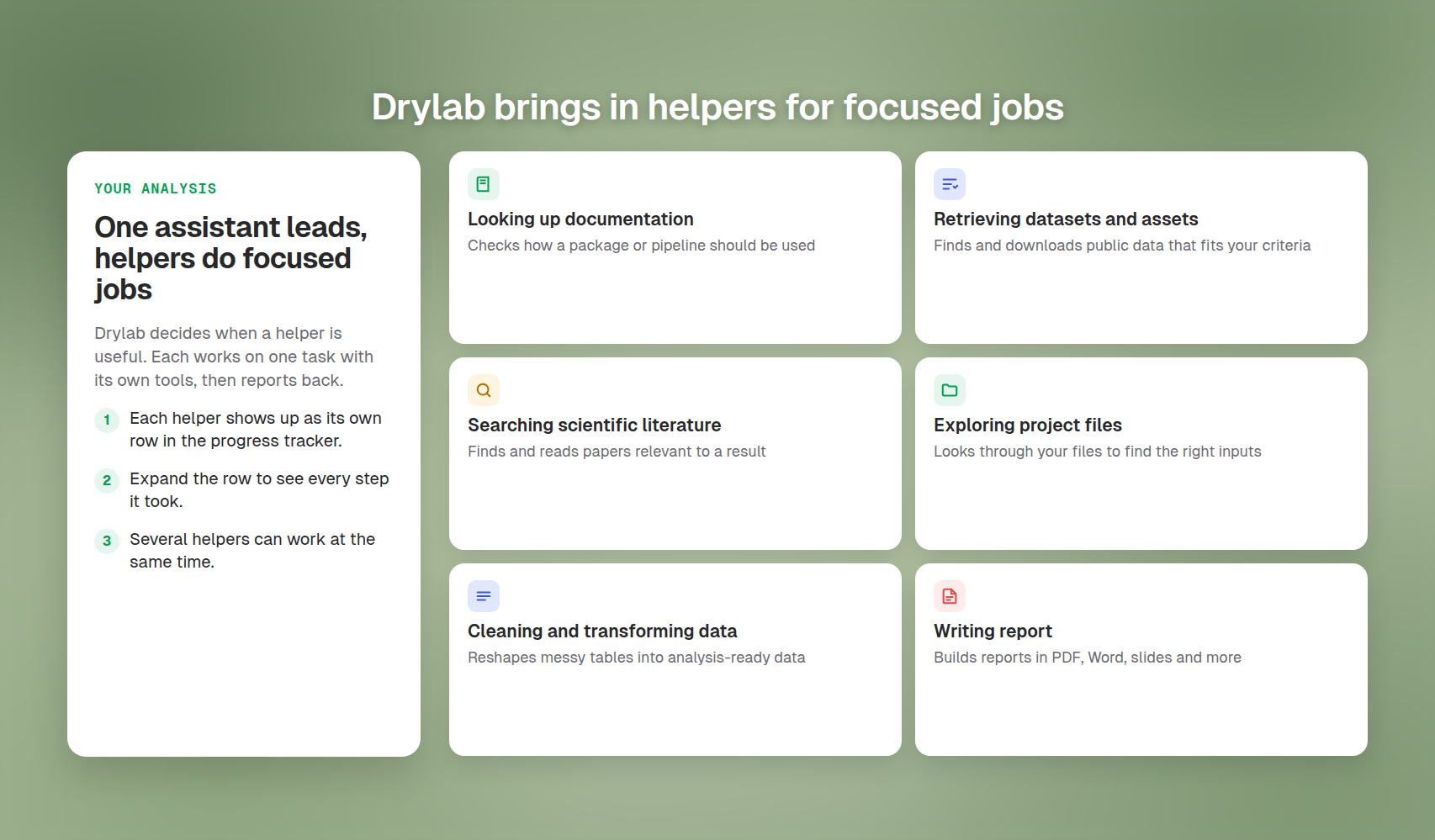
You don't start helpers yourself. Drylab decides when one is useful, and you can suggest one in your message, for example "Search the literature for papers on these genes before you summarize."
Each helper appears as its own row inside the step that started it. The row names the job, for example:
| Row | The helper's job |
|---|---|
| Searching scientific literature | Find and read papers relevant to a result |
| Exploring project files | Look through your files to find the right inputs |
| Retrieving datasets and assets | Find and download public datasets that match your criteria |
| Looking up documentation | Check how a software package or pipeline should be used |
| Cleaning and transforming data | Reshape messy tables into analysis-ready data |
| Setting up environment | Install software a method needs |
| Writing report | Build a report as PDF, Word, slides and more |
| Building and publishing an interactive app | Make and test an app, then publish it as a site |
While a helper runs, its row shows a short live preview: its latest action and what it is thinking about. Click the row to open the helper's own steps, with the same detail as the main tracker.
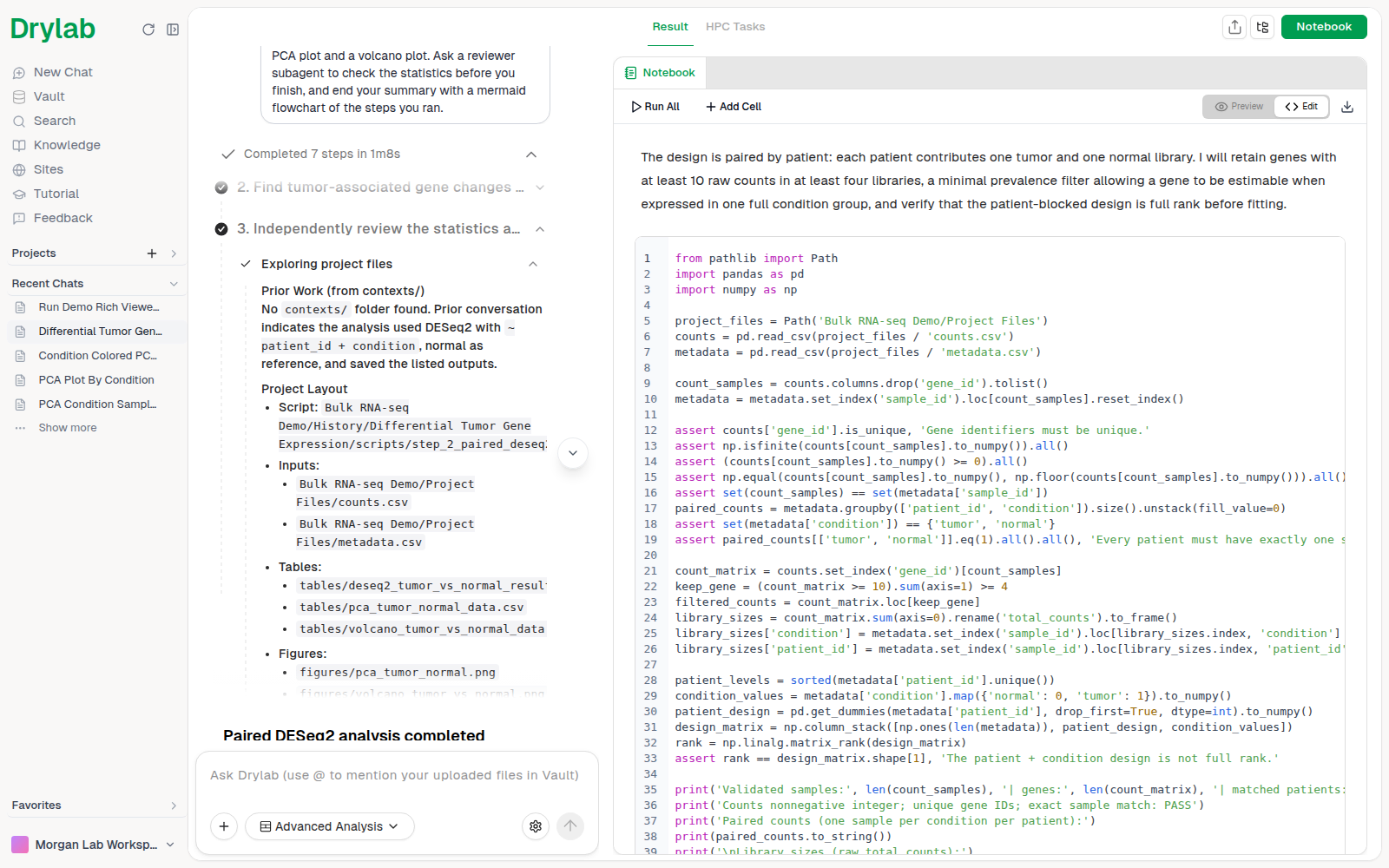
A row can also show Cancelled if the helper was stopped, or Failed if it couldn't finish.