
Drylab Atlas
Use thousands of curated public datasets without downloading them: find one in the Atlas tab or on Drylab Data, mention it in a chat and pick files.
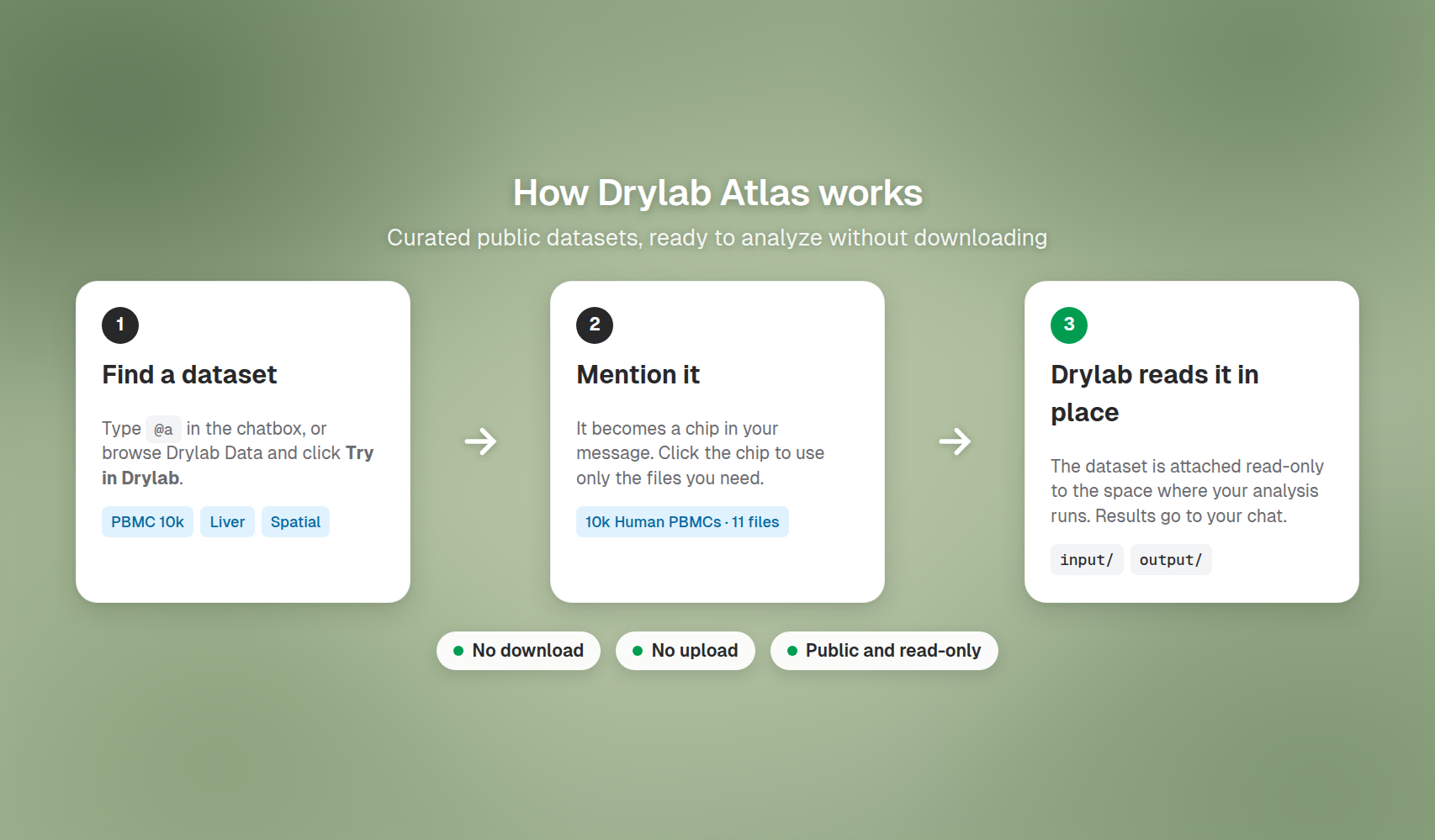
Drylab Atlas is a catalog of curated public datasets, such as 10x Genomics single-cell runs and published liver, brain and tumor studies. Every dataset is already stored for you. Mention one in a chat and Drylab reads its files in place, so you don't download or upload anything.
Why use Atlas
- No downloads. The files are already stored. Drylab reads them where they are, so a run starts straight away, even for large datasets.
- Curated and described. Each dataset lists its product, software, species, tissue and disease state, with an overview and its input and output files.
- Compare with your own data. Mention a public dataset next to your own files, for example to check your clusters against a published reference.
Two places to find a dataset
| Atlas tab in the chat | Drylab Data (data.thedrylab.com) | |
|---|---|---|
| Best for | You know roughly what you want | Browsing and filtering the whole catalog |
| How | Type @, then the Atlas tab | Search and filter, open a dataset, then Try in Drylab |
| Collections | Not available in the chat; use Drylab Data | Try collection in Drylab |
Mention a dataset in a chat
- In the chatbox, type
@a(the letteraand a space) to open the Atlas tab, then type a few words, such as@a pbmc. You can also type@and press Tab until Atlas is selected. - Hover a dataset to see its Resource Preview: product, software, species, anatomical entity and disease state. Click View Details to open its page on Drylab Data.
- Press Enter, or click the dataset and then Click to use resource. It appears in your message as a chip that reads All files.
- Write the rest of your request and send it.
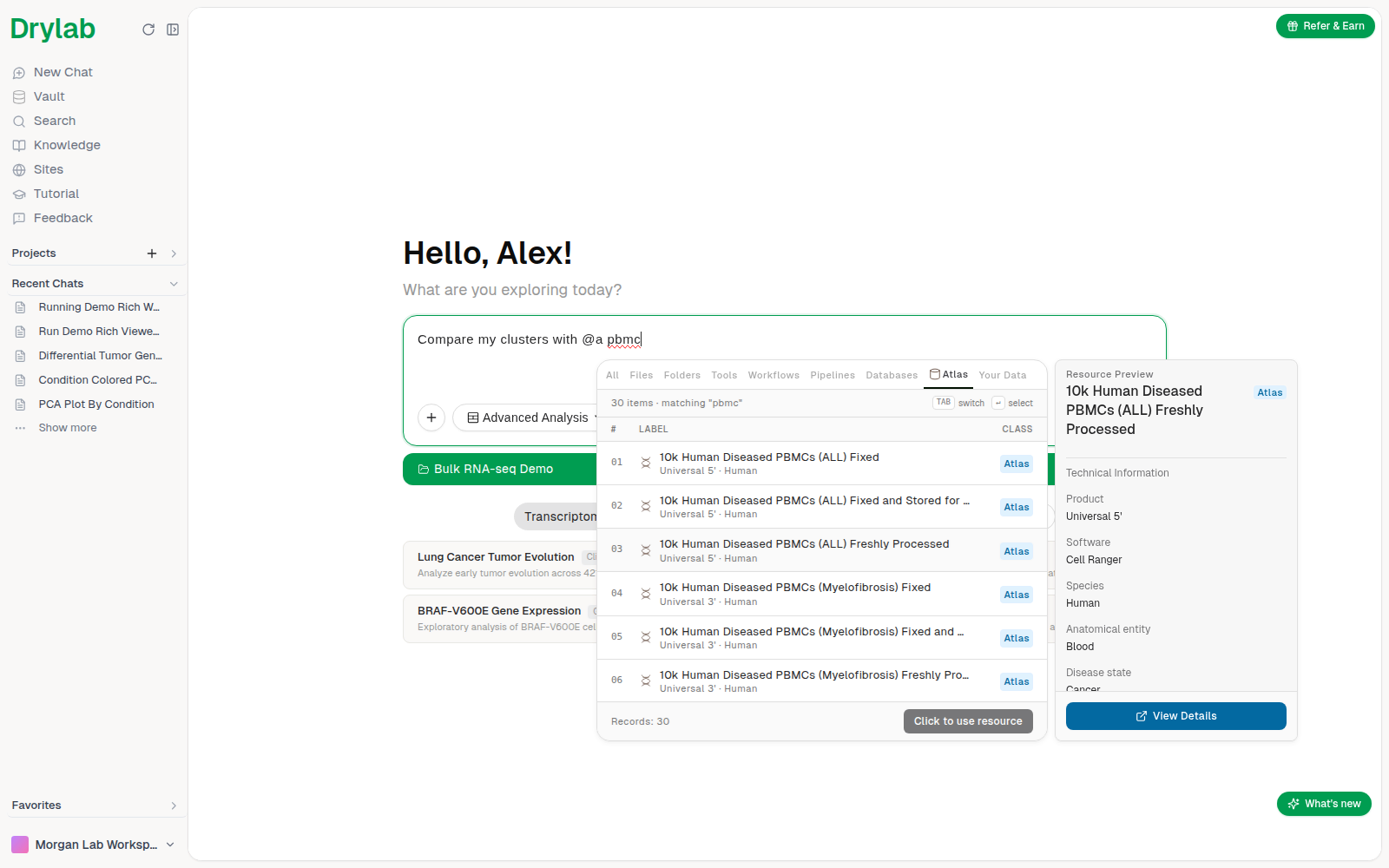
The search matches dataset names, their overviews and the collections they belong to. To see more results, click Load more results at the bottom of the list, or move down with the arrow keys.
Choose which files to use
Most datasets include several files: raw inputs, count matrices, summaries and reports. By default Drylab can use all of them. To narrow it down:
- Click the dataset chip in your message. A window opens with the dataset's details and its Files, grouped under Input files and Output files.
- Untick the files you don't need. The header shows how many are selected, for example "11 of 15 selected". Use Select all or Clear to change everything at once.
- Click Use 11 files (or Use all files). The chip now shows the number of files.
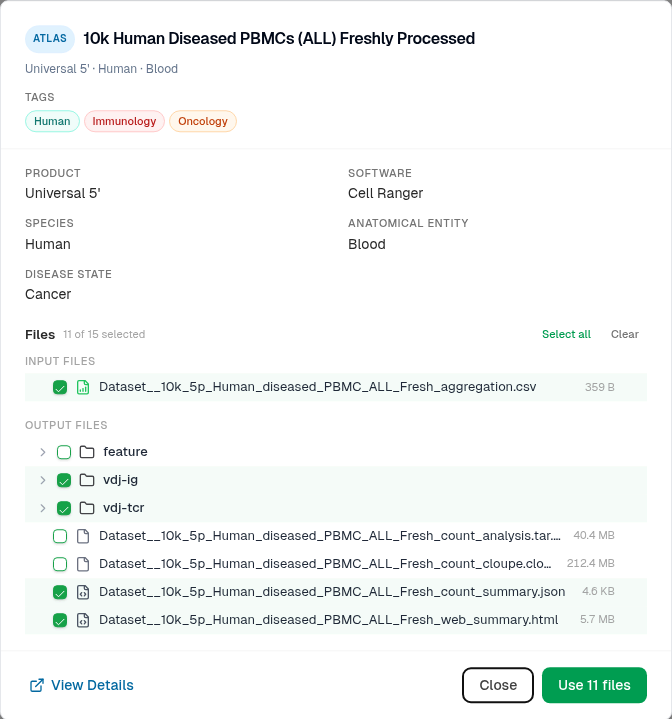
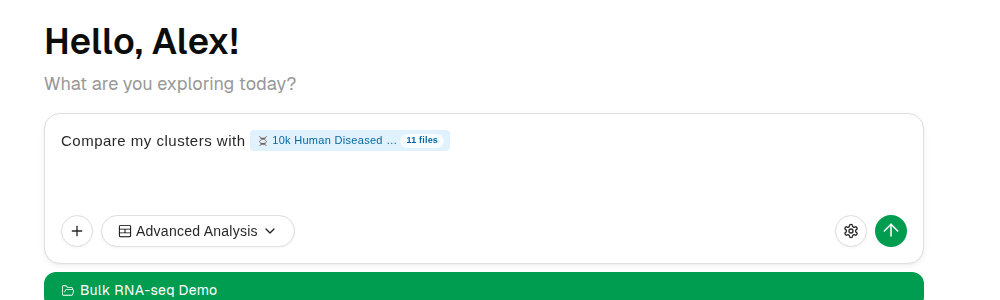
You can only change the selection before you send the message. Once it's sent, the window shows the files as read-only. To use other files, mention the dataset again in a new message.
See the datasets in a chat
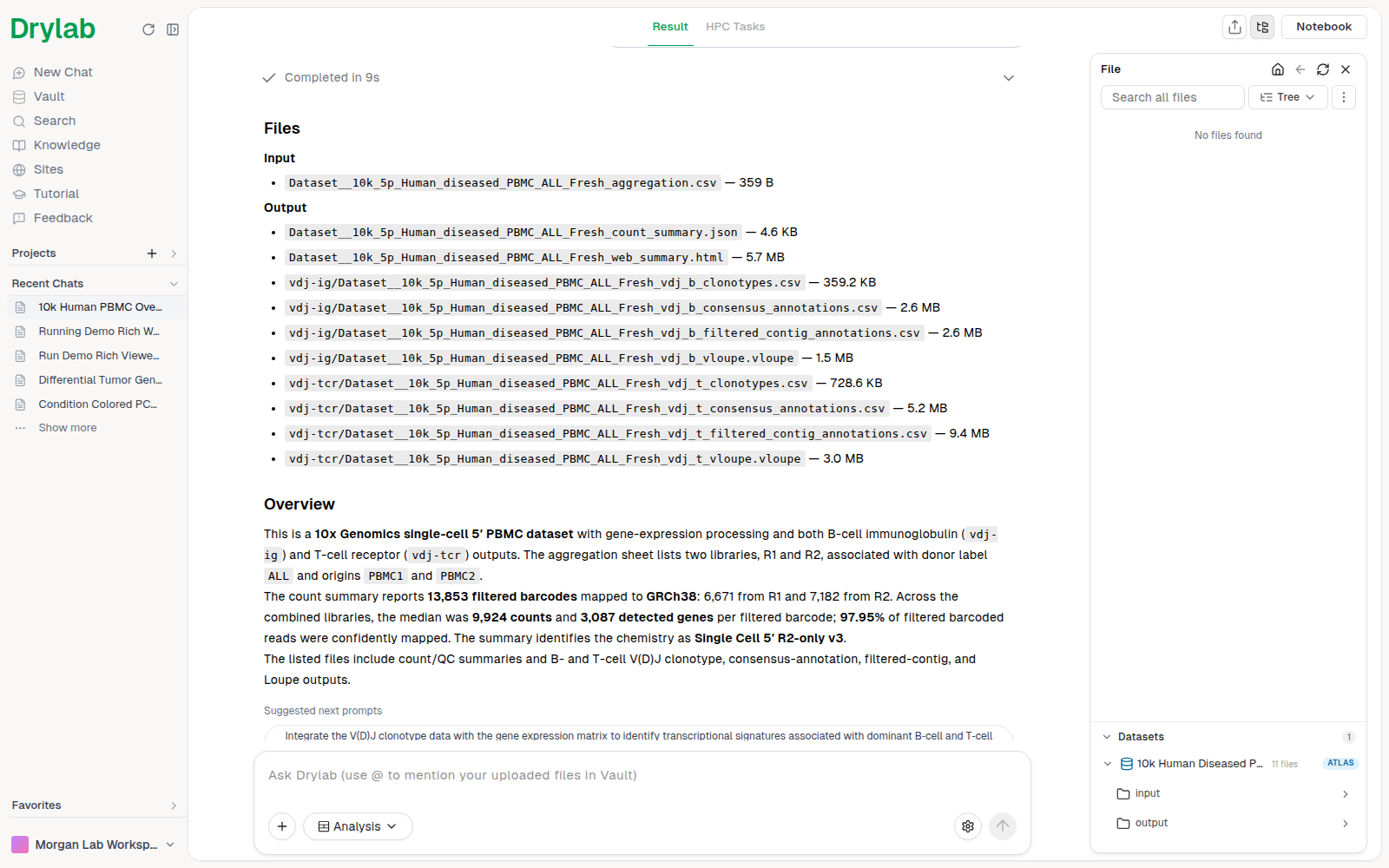
After you send the message, the chat's file list shows a Datasets section with every dataset mentioned in the chat. Each row shows the dataset name, how many files you chose (All files or, for example, 11 files) and an Atlas badge.
- Click a dataset to expand it and browse its
inputandoutputfolders. - Hover a dataset and click the info icon (View Details) to open its details window.
- Drag a dataset, a folder or a file from this list into the chatbox to mention it again in your next message.
Start from Drylab Data
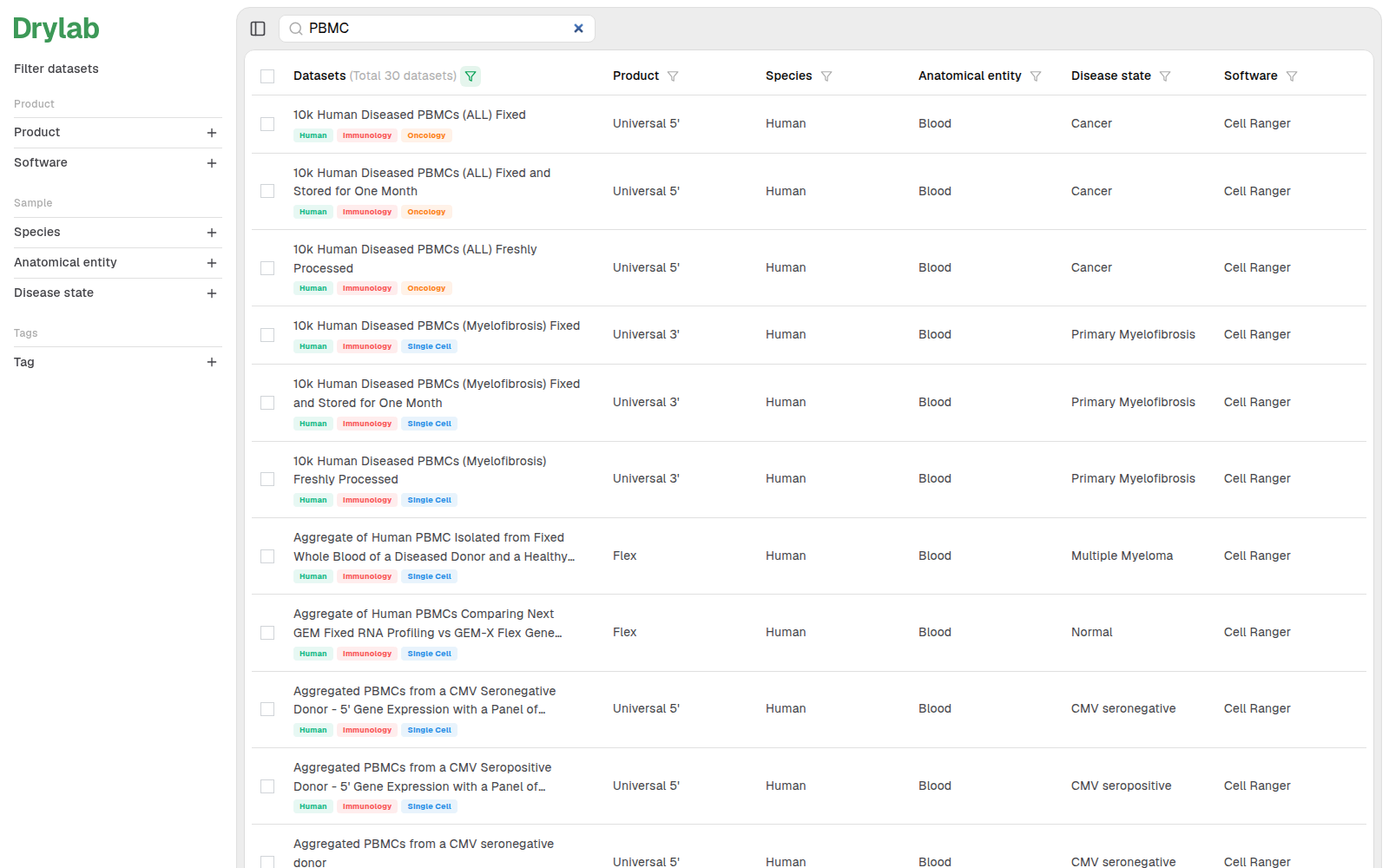
Drylab Data is the public website of the catalog. Use it to search and filter by product, software, species, anatomical entity, disease state and tags.
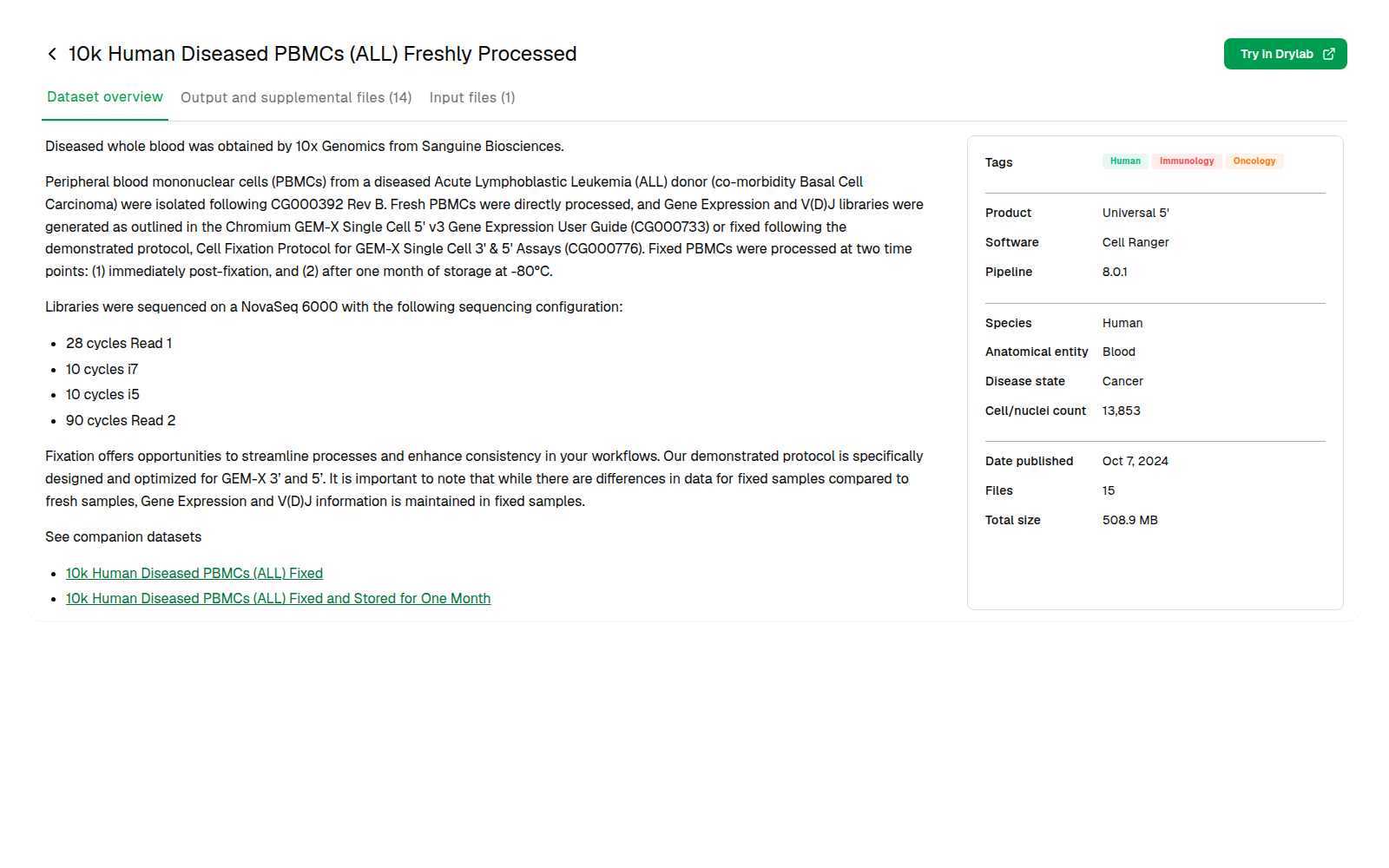
Open a dataset to read its overview and its file lists (Dataset overview, Output and supplemental files, Input files), then:
- Click Try in Drylab to open Drylab with the dataset already mentioned in a new message.
- To use only some files, tick them in the file lists. A bar at the bottom shows how many are selected; click Start with Drylab followed by that number, for example Start with Drylab (3).
- To use several datasets, tick them in the catalog. The bar at the bottom shows "2 selected"; click Try in Drylab (2).
Sign in to Drylab if you're asked to. If a dataset can't be added, Drylab shows "Couldn't load that dataset. Please try again."
Use a whole collection
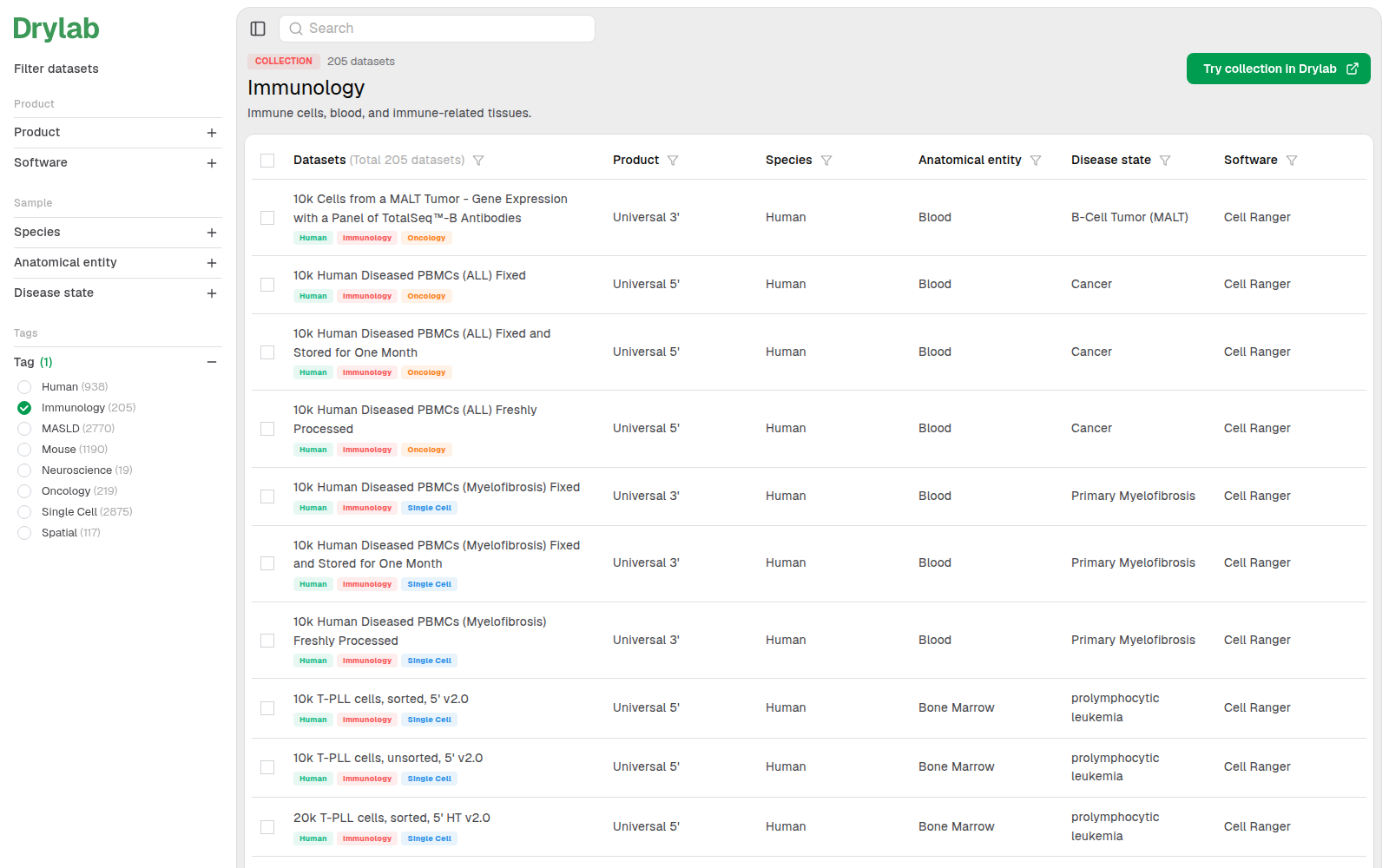
A collection groups related datasets, such as Immunology or Spatial. On Drylab Data, filter by exactly one tag to see its collection, then click Try collection in Drylab. Drylab adds one chip for the collection, and every dataset in it is available to the analysis (up to 200 datasets). After you send, the Datasets section lists each dataset in the collection as its own row.
How Drylab reads the data
- When your analysis runs in the cloud (the default), the dataset's folder is attached to the space where your analyses run. The files are read-only: Drylab reads them in place and writes its results to your chat's files instead.
- If you chose specific files, Drylab is told to use only those files.
- With a local runtime, nothing is attached. Drylab downloads the files you chose to your machine when it needs them.