
Vault
Overview
The Vault is your persistent cloud storage in Drylab: every uploaded file and every analysis output, organized by project.
The Vault is where your files live in Drylab. Everything you upload and everything your analyses produce is saved there, organized by project, and kept between sessions.
Click Vault in the left sidebar to open it.
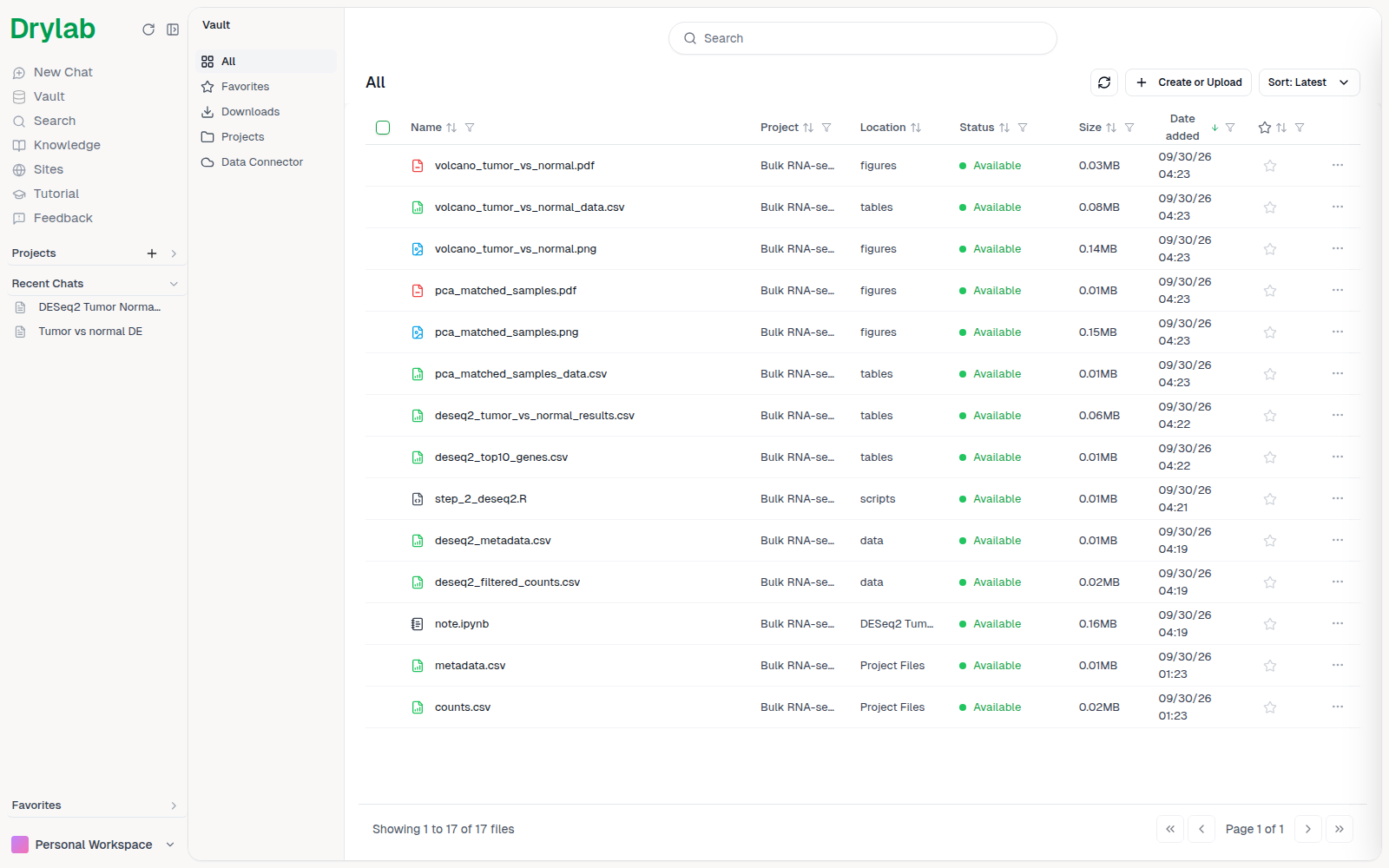
Sections
| Section | What it shows |
|---|---|
| All | Every file in your Vault, newest first, with its project and folder. |
| Favorites | Files you starred. |
| Downloads | ZIP archives you prepared for download, available for 7 days. |
| Projects | Your projects as folders, plus Other Folder for files that aren't in a project. |
| Data Connector | Cloud storage you connected, such as an Amazon S3 bucket. See Data Connector. |
How files are organized
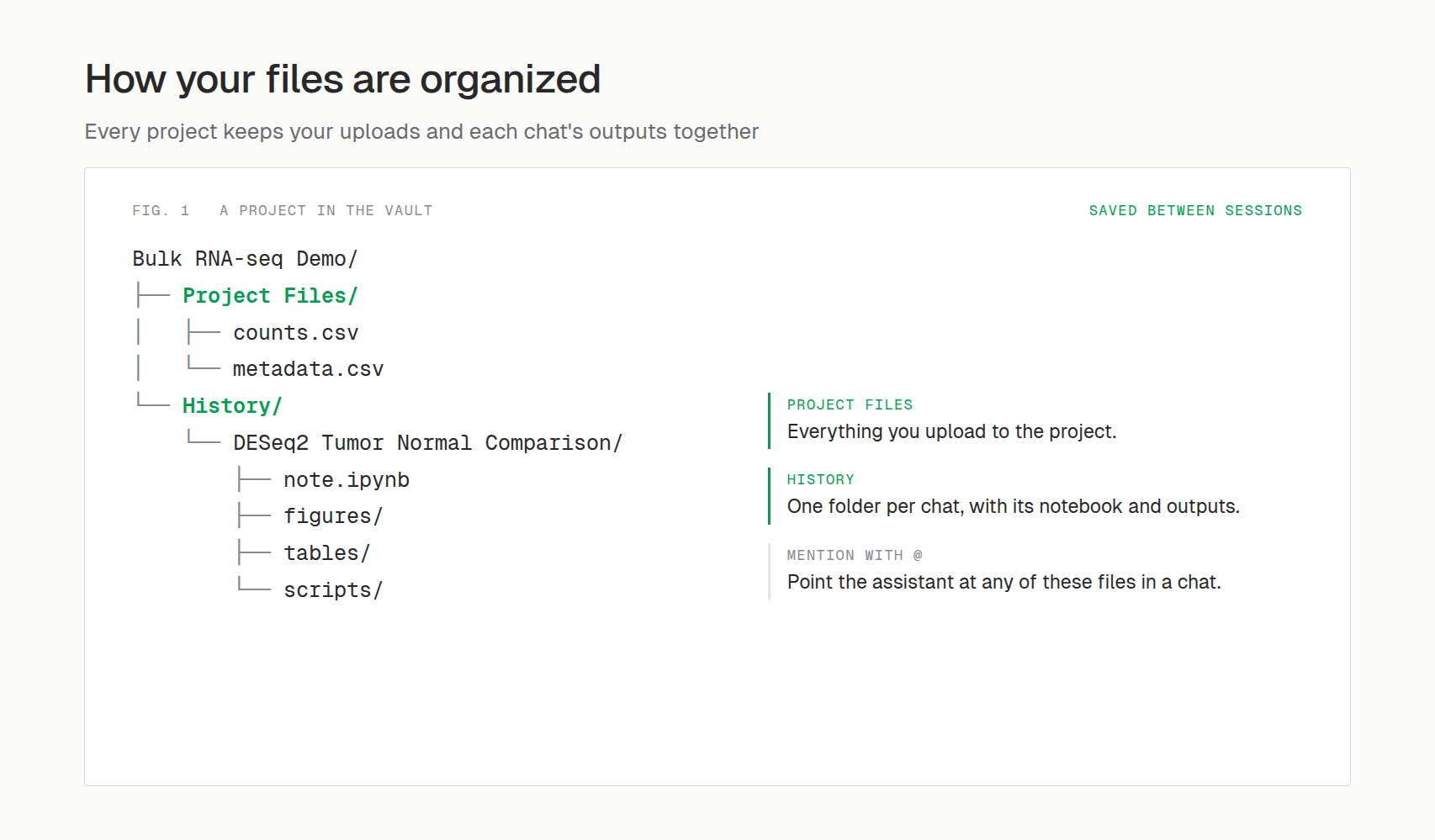
Each project has a folder with Project Files (your uploads) and History (one folder per chat with its notebook and outputs):
In a cloud sandbox, your Vault is available at /home/user/user_data/. Files Drylab saves there persist; files it writes elsewhere in the sandbox are temporary and can be lost when the sandbox is recycled.