
Storage
Overview
Storage is where every file you upload and every analysis output is saved in Drylab, organized by project, shared with others and kept between sessions.
Storage is where your files live in Drylab. Everything you upload and everything your analyses produce is saved there, organized by project, and kept between sessions. (Earlier versions of Drylab called it the Vault.)
Click Storage in the left sidebar to open it.
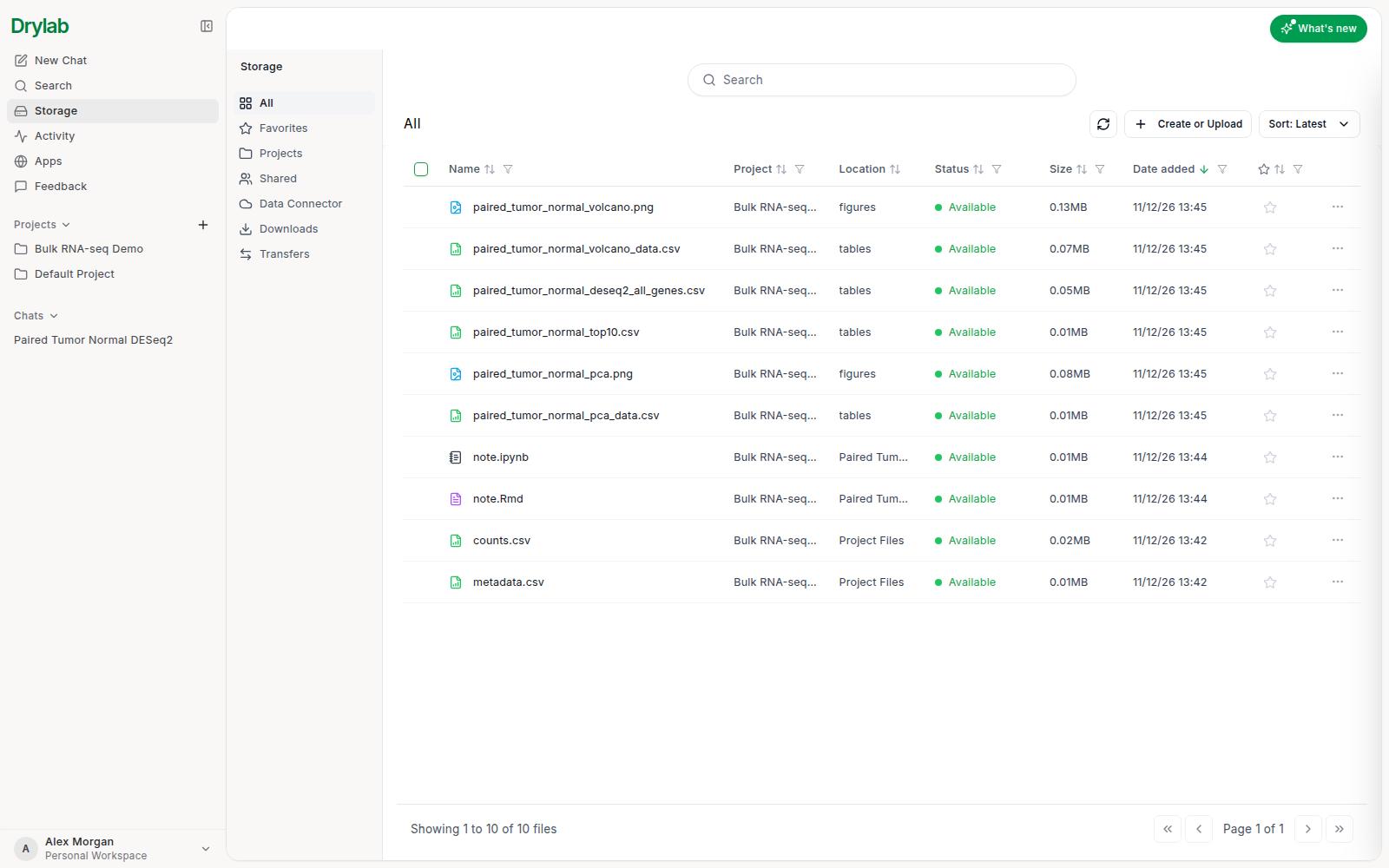
Sections
The column on the left switches between sections:
| Section | What it shows |
|---|---|
| All | Every file in your Storage, newest first, with its project and folder. |
| Favorites | Files you starred. |
| Projects | Your projects as folders. |
| Shared | Files and folders other people shared with you (Shared with me) and the ones you shared (Shared by me). See Share Files. |
| Data Connector | Cloud storage you connected, such as an Amazon S3 bucket. See Data Connector. |
| Downloads | ZIP archives you prepared for download, kept for 7 days. See Download Files. |
| Transfers | Projects, chats and files sent to you or by you. See Transfers. |
How files are organized
Each project has a folder with Project Files (your uploads) and History (one folder per chat with its notebook and outputs):
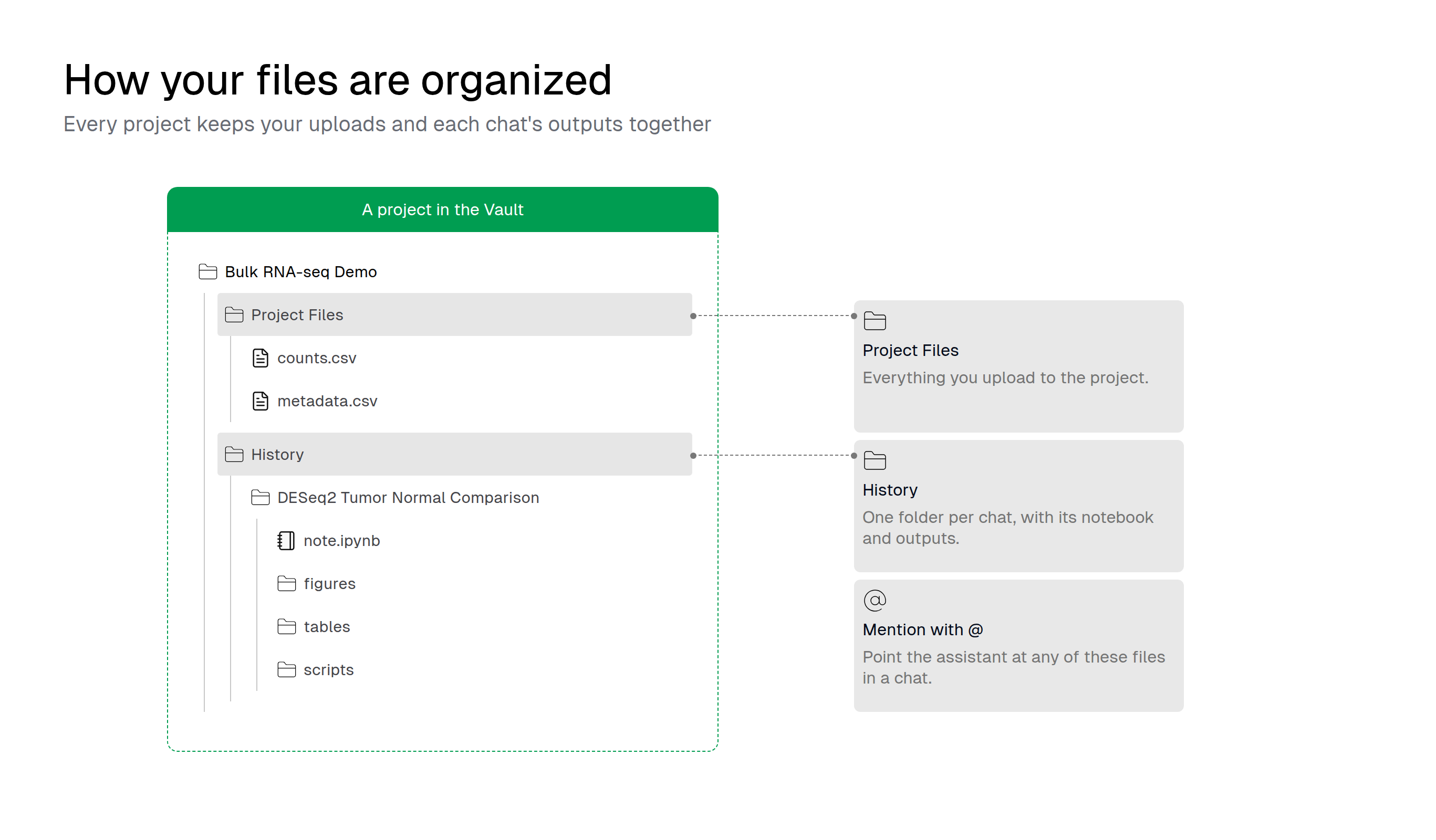
When Drylab runs an analysis in the cloud, it saves its results to your Storage, so they're still there after the session ends.
What you can do
Upload Files
Add files from the chatbox, a project or Storage.
Manage Files
Favorite, move, delete and browse by project.
File Versions
Preview, download or restore an earlier version of a file.
Find and Open Files
Search and preview files.
Share Files
Share a file or folder with people or with a link.
Transfers
Send projects, chats and files to another account.
Download Files
Download single files, folders or a whole chat.
Data Connector
Mount your own cloud storage or sync files from another platform.