
Notebook
Export a Notebook
Download your Drylab notebook as .ipynb to rerun it in Jupyter, or as a PDF report.
- Open the notebook panel (click Notebook in the chat's top bar).
- Click the download icon (Download notebook) at the top right of the notebook panel.
- Choose a format:
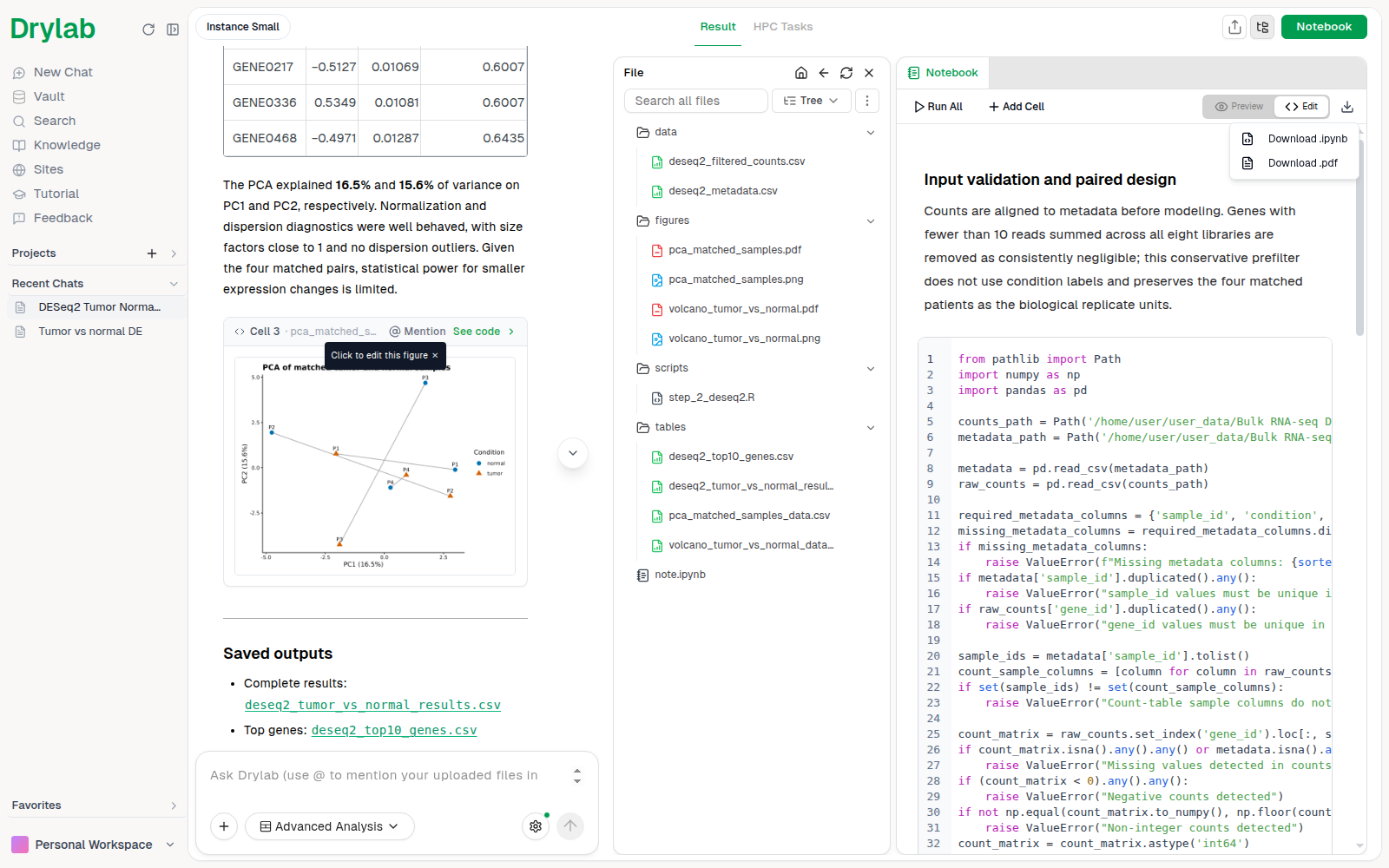
| Option | Best for |
|---|---|
| Download .ipynb | Opening and rerunning the analysis in Jupyter or VS Code, or sharing with other Jupyter users |
| Download .pdf | Reports, lab meetings, and sharing with people who don't use Jupyter |
Creating the PDF can take a few seconds ("Generating PDF..."). If PDF export fails, you'll see "PDF generation failed. Please try again." Try again, or choose Download .ipynb instead.
In the Desktop App, the notebook already lives on your computer, so the same icon (Show in folder) opens note.ipynb in your file explorer instead.
Other ways to share
- Download the figures, tables and scripts next to the notebook from the chat's file panel. See Download Files.
- Share the whole chat, including the notebook and files, as a link. See Share.