
Share an App with Your Lab or Clients
Share an app so lab mates or core-facility clients run it on their own data, with a sequencing core's FASTQ QC app as the example.
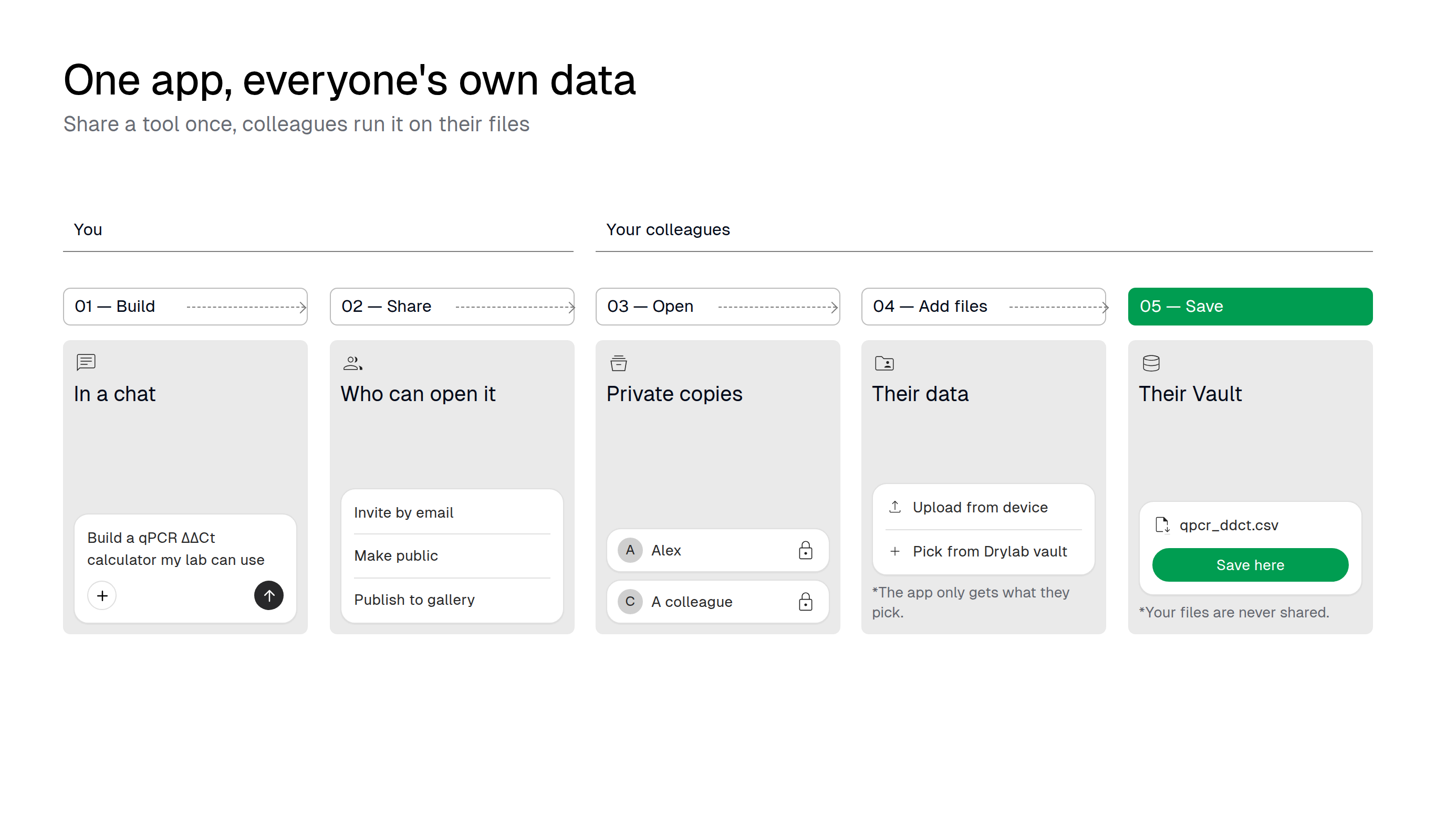
A tool is most useful when others can run it without you. Share an app by email, with anyone who has the link, or with every Drylab user through the Gallery. Each person gets a private copy that works on their own files, so your data is never exposed.
Why you'd use it
- Stop being the bottleneck. Clients and lab mates run the tool themselves instead of waiting for you.
- Their data stays theirs, yours stays yours. Each person's copy only sees the files they pick, and saves to their own Vault.
- Everyone uses the same rules. Thresholds and plots are the same for every client and every run.
Example: a sequencing core's FASTQ QC app
After every run, clients ask the core "can you send me the QC?". The core builds a QC app once and shares it with all clients. Each client opens it, picks their FASTQ files from their own Vault, reads a pass, warn or fail table, and saves the summary next to their data.
Prompt to build the app
Build a FASTQ QC app for our sequencing core's clients. Let the user pick one or more *.fastq.gz files from their Drylab vault, or upload them from their computer. For each file show per-base quality, GC content and adapter content, an estimated read count, and a summary table with pass, warn or fail (fail if the median per-base quality drops below 28, warn if adapter content is above 5%). Check the first 200,000 reads of each file so it stays fast, and estimate the total read count from the file size. Let them download or save the summary as qc_summary.csv, and add a Load example button and a short help panel that explains each plot.Check a sample sheet before submission:
Build a sample sheet checker our clients run before they submit. Let them pick samplesheet.csv or .xlsx from their vault or upload it. Check that sample IDs are unique and use only letters, numbers, - and _, that i7 and i5 indexes are valid DNA of the right length, that no index pair repeats within a lane, and that the columns Sample_ID, Index, Index2, Lane and Project are present. Show errors by row and let them save samplesheet_validated.csv once everything passes.For a flow cytometry core:
Build a QC app for flow cytometry files. Let the user pick *.fcs files from their vault or upload them. For each file show the event count, an FSC-A vs SSC-A density plot and the channel names, and flag files with fewer than 10,000 events. Let them save fcs_qc.csv.Steps for you
- Build the app and test it on one good run and one run you know has problems.
- In the same chat, ask Drylab to share it:
- "Share this app with client@university.edu" invites people by email.
- "Make this app public" lets any signed-in Drylab user open the link.
- "Publish this app to the gallery" lists it for every Drylab user.
- Drylab asks you to approve, for example "Invite people to this app?". The card notes: "Your files stay private: everyone who opens this app gets their own copy, running against their own vault." Approve it.
- Send the link, for example with each data delivery. Clients need a Drylab account, and a plan that includes Sites unless the app is in the Gallery. You manage access under Sites > Published Sites. See Share an app.
If you open your shared app inside a chat, its file dialog opens inside Drylab and the button reads Use selection instead of Use files.
Steps for people you share with
- Open the link, or find the app under Sites > Shared to Me. The first time, tick the consent box and click Allow and open app.
- Click Pick from Drylab vault, open the run folder, tick the files and click Use files. Or click Upload from device.
- Read the results, then save them with Save to Drylab vault > Save here.
Good to know
- People need a Drylab account. To open an app you invite them to, their plan must include Sites; apps in the Gallery open on any plan. See Plans.
- Big files belong in the Vault. Multi-GB files such as FASTQ are much easier to pick from the Vault than to upload through the browser; upload is for small files.
- A private copy for each person. It runs on their account; their copy stops after 6 hours without activity, and starting it again takes a minute or two.
- Tools use their credits. If the app runs Drylab tools, the consent screen says so first.
- A new version gets a new link. When you change the app and share it again, the old link keeps showing the old version until you delete it.
Related
Save App Results Back to Your Vault
Save what an app produces to your Drylab Vault, not just your laptop, so your next chat can use it, with a qPCR ΔΔCt calculator as the example.
Review and Correct Results by Hand
Build an app where you check automatic results and correct them by clicking, with dose-response curves and outlier wells as the example.